
Cyber attacks and data breaches can happen at any time. Operating a small business does not mean you’re safe from these attacks. Companies in SMEs often neglect their cybersecurity because of this misconception.
A 2020 Data Breach Investigation Report issued by Verizon noted 28% of breaches involved victims of small businesses. Larger businesses accounted for the remaining 72%. If you look at the percentage, you may think the risk is low, but can your small business withstand a financial loss in the millions?
This article will look at best practices you can execute to protect your business and customers from cyber-attacks and data breaches.
I | What are Cyber and Data Breaches?
Kaspersky defines a data breach as the exposure of confidential, sensitive, and or protected information to an unauthorized person. Hackers view and share these files without permission and, in some cases, hold them for purposes of extortion.
Cybercriminals launch these attacks to disable your electronic devices, steal your information, and use your compromised computers in other attacks.
These attacks take many forms, the most common types being malware, ransomware, and phishing.
II | How Can I Protect My Business from Cyber Attacks and Data Breaches?
1. Encrypt and back up all sensitive data.
Backing up your business data, including websites, eases the pain of recovering your information. Backup systems are relatively cheap, with a wide variety of cloud services available to meet any budget. For an offline option, purchase an external drive used only to store emergency copies of work files.
Choose a combination of both: a portable device + cloud storage. You can’t be overly cautious in protecting your data. Update backup copies across both mediums daily.
Automatically sync files if you work independently from a cloud server, like OneDrive, Dropbox, Google Drive, or Adobe Cloud. Automatic backups can sometimes lag your internet connection, so if you pause the sync, remember to restart once you’ve completed your work.
Reliable cloud storage solutions use encryption when storing your data. They also offer multiple options for access authentication to prevent unauthorized access.
Turn on the encryption feature for your network as well. Encryptions convert your data into a secret code, which reduces the risk of theft and tampering.
Assign key employees special access and limit administrative capabilities for systems central to business operations.
2. Conduct regular audits and sure up all systems.
Keep all software updated.
Software developers are constantly working to combat the latest threats in cyber attacks. Each update provides the most recent and upgraded security protections the company offers. If there are any preexisting flaws in the software’s previous version, the updates often resolve them.
Set your security software and operating system to update automatically. Schedule the download and installation of updates outside of business hours to avoid disruption. Updating your software is a simple step but one you shouldn’t take lightly.
While you’re setting your updates, review the passwords on your network.
Secure all wireless access points and network portals using strong, unique passwords. Avoid defaults like ‘123456’ and ‘password.’ Never use the same password for everything. If a hacker manages to get that single code, they have the master key to your entire network.
For added protection, set passwords to renew every 30 days or so.
Your employees might find it tedious to change passwords frequently, but encourage the practice of protecting business information. Their actions have a direct effect on the future of the company and their continued employment.
Companies are almost always held liable in the case of a data security breach. Your business may be subject to lawsuits by affected customers and clients. Depending on the severity of the fines, you may face bankruptcy, or the financial loss may prompt a cut in employees.
The United States has one of the highest averages for data breach costs reaching $8.64 million.
Activate two-factor authentication (2FA) for yet another layer of protection.
Employees will use two different authentication methods to verify their credentials when activated. For instance, once they enter their primary login password, the system might send a one-time passcode to their phone number. Going through the added steps makes it harder for hackers to access your information.
Even as you implement these measures, do regular systems checks. According to IBM, businesses took an average of 206 days in 2019 to identify harmful breaches. The longer the problem persists, the more money it racks up in losses and damages.
UpGuard reported the average data breach cost in 2022 is $4.35 million. This stat shows a 2.6% rise from 2021, amounting to $4.24 million.
Data breach cost statistics:
- The average cost of a ransomware attack recovery, factoring in the ransom, and the price of downtime, network, and human resources to fix the problem, add up to $761,106. (SafeAtLast)
- The WannaCry ransomware attack in 2017 cost the National Health Service (NHS) in the UK £92 million and is the biggest ransomware attack in history. (SafeAtLast)
3. Install security software and set up a firewall.
Antivirus software helps to protect computers, laptops, and mobile devices from infection.
Choose an antivirus program that includes anti-malware, anti-spyware and anti-spam filters. Firewalls create a virtual barrier between your computer and the internet. Install them on your portable business devices and patch them regularly for added protection.
Enable automatic security updates on all company devices.
4. Restrict the administration rights of employees.
Limit employee access to specific data and information by restricting their admin rights. Admin restrictions lessen the chances of employee error. Limiting access also makes tracking breach points easier.
Grant employees permission only to the systems necessary for their day-to-day tasks. Prevent regular staffers from installing new software and running system diagnostics.
Performing these tasks is usually the responsibility of the IT department. As a small business owner, setting up a department for these tasks isn’t feasible. Installations and diagnostics will fall under your responsibility.
Although doing it yourself may save you money, hiring someone with expertise in Information Technology grants greater security.
Limit the use of administrative accounts and email addresses.
Use a regular account for daily logins with a strong password consisting of capitalizations and special characters like hashtags (#) and numbers. Do not use administrative profiles for checking personal emails or conducting non-business transactions online.
5. Review employee access privileges.
Stay on top of the employees who leave your company. Once they hand in their access badge or leave the compound for the last time, cut all of their access privileges.
Terminated employees may hold some animosity and the damage a disgruntled employee can cause is astronomical. Especially if they were in a high-level position, granting them greater access to your company’s vital systems.
6. Create a cybersecurity aware work environment and a culture of security.
Employees who are not aware of proper security practices pose a considerable risk. Protecting your business from cyberattacks is a team effort.
Verizon’s 2020 Data Breach Report states emails topped the list of how hackers plant malware. Educate and train employees on the importance of cyber and digital security. Train them on recognizing suspicious emails, links, and other vectors, along with warning signs of potential cyber-related dangers.
Create a robust policy to enforce further best practices and systems for reporting possible breaches. Don’t limit the education of your employees as a one-off event. Include cybersecurity as part of your regular staff training. New threats arise every day.
7. Monitor the use of computers and internal systems.
Despite your best efforts, some employees will flout the rules.
According to Symantec, smaller organizations with 1 – 250 employees see the highest malicious email rate, with 1 in 323. Set up email and web filters to prevent spam and malware.
Spam filters reduce the amount of spam and phishing emails your business receives. These emails, which often contain special deals, discounts, and exclusive, time-limited offers, account for 22% of breaches documented in Verizon’s data breach investigation report.
Web filters prevent employees from browsing harmful sites notorious for malware and other cyber threats.
Caution the use of USBs and portable drives. Suppose your employees use these storage devices on their personal, unprotected computers. In that case, they can introduce a virus into their work machines, compromising your business’s network security.
8. Install surge protectors and Uninterruptible Power Supply (UPS).
Prevent the loss of your company data by installing a UPS.
Plug all essential computers, networks, and backup systems into a UPS. As the name Uninterruptible Power Supply suggests, you can continue to work uninterrupted in the event of a power cut. How long you can use your UPS depends on the battery capacity. Choose the one best suited for your business.
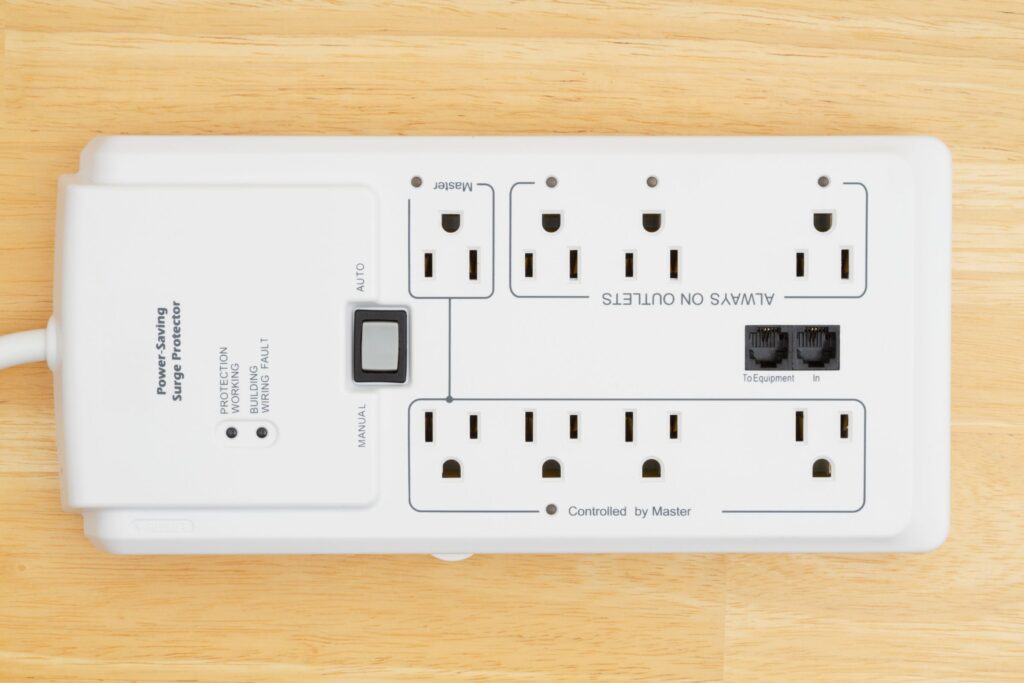
Use regular surge protectors for non-essential equipment.
Ensure you carry out regular maintenance checks of your UPS. Scheduled inspections can save you from unexpected disasters. No electronic equipment or device is immune to potential glitches.
For information on reporting a cyber incident to a federal entity, check out the Law Enforcement Cyber Incident Reporting resources.
III | What is Cybersecurity Insurance?
Cyber Security insurance covers the costs of cyber breaches and extortion. These disasters include data breaches, business interruptions, and the loss of confidential information caused by network damage.
Cybersecurity policies can help a business recover from the effects of a cyber attack as part of its breach response. The fallout may result in your business facing fines from regulators with civil suits from affected customers and clients. If your systems are audited and found wanting, you may face additional penalties for woeful negligence.
While all this is happening, your company stands to lose customer trust as your reputation will take a beating with the media coverage.
Few businesses see the need for cyber liability coverage. The high premiums for some business owners do not add up to the ‘low’ chances of their companies falling victim.
With cyberattacks on the rise, cybersecurity insurance may soon become fundamental in securing our companies.
Conclusion
As business dependence on online portals and services grows, cybersecurity is becoming a significant concern.
Cybersecurity risks increase as hackers up their game, creating more sophisticated attacks targeted at your business and customer information. Data breaches lead to identity theft, the destruction of company reputations, and bankruptcies.
Implement the strictest level of protection you can afford.
Even without a massive budget, you can protect your business from cyber risks:
- Encrypt and back up sensitive data;
- Conduct regular audits and sure up your system;
- Install security software and set up a firewall;
- Restrict the administration rights of employees;
- Review employee access privileges each time an employee leaves your company;
- Create a cybersecurity-aware work environment by training and educating your employees about the risks;
- Monitor the use of computers and internal systems;
- Install surge protectors and Uninterruptible Power Supply (UPS).
Ensure your company does not become a target due to compliance violations.